
Camping trips that go to plan, even with kids.
Camp Kettle turns Claude, ChatGPT, Gemini or Grok into a camping planner for tents and cabins. Tell it where you're going, when, and who's coming, and get a trip plan, meals and a shopping list, a packing list for the season, where to pitch, and the fire and food storage rules that keep everyone safe.
Get Camp Kettle Camping Guide for $5 Plan my food
$5 once · card, Apple Pay or Google Pay · download in a minute
Into more than one hobby? Get all 70 hobby skills for $19, this one included.
- One-time $5
- Instant email delivery
- 14-day refund
- Works in Claude, ChatGPT, Gemini and Grok
Camping plan: family of 4, 2 nights, tent
Late May · lows near 45°F (7°C) · no water at the site
2 adults, 2 kidsCar campingFire ring at site
- Meals6 meals, each for about 3.2 adult servings2 breakfasts, 2 lunches, 2 dinners; kids count as 0.6Food
- Water18 gallons (68 liters)4 people × 3 days × 1.5 gallons for drinking, cooking and washingWater
- SleepBags rated 40°F (4°C) comfort or lower, pads R 3+Forecast low minus 5°F for an average sleeperWarm
- Fire5 bundles, only if there's no fire ban2 nights × 3 hours at about 0.6 cu ft an hourFire
- NightAll food, coolers and trash locked in the carUse the bear locker if the site has oneStorage
Everything an experienced camper plans before the trip
One skill, six jobs. Claude, ChatGPT, Gemini or Grok picks the right one from what you ask.
Trip and meal plans
A day-by-day plan with simple camp meals, a shopping list and quantities for your group.
Gear checklists by season
Packing lists for tents and cabins in summer, spring and fall, or cold weather.
Campsite choice
How to pick a flat, safe, sheltered site and where not to pitch a tent.
Fire safety and bans
How to build, manage and fully put out a campfire, and a reminder to check local fire bans.
Bear and food storage
Lockers, canisters, hangs and keeping a clean camp in bear country and everywhere else.
Camping with kids
Age-by-age tips, activities, sleep, safety rules and how to keep it fun for everyone.
Ask it like you'd ask a friend who camps every summer
It plans around your site, the weather and your crew, and keeps the safety rules in.
Keep the first trip short, simple and close (high confidence)
Two nights is perfect. Pick a site near the bathrooms, set up the tent in the backyard first, and plan easy meals: foil packet dinners, hot dogs, oatmeal and pancakes.
Kids' safety rules
- Each child gets a whistle and a bright shirt. If they're lost, they stay put and blow three times.
- Fire rule: no running near the fire ring, and an adult is always there when it's lit.
- Check for ticks every evening.
Sleep
June nights can drop into the 40s°F. Bring sleeping bags rated to the forecast low or lower, a pad for each person, warm hats and a change of dry clothes for bed.
Before you go
Check the park's fire rules and any fire bans, and lock all food and coolers in the car at night. Want a packing list and a meal plan for two nights?
Example answer from the full skill. Your answers depend on what you ask.
Honest about camping
Camping lists online try to sell you everything. Camp Kettle packs what you'll use and keeps the safety rules front and center.
- Fire bans are realBans can start mid-trip. It tells you to check with the campground, park or fire authority before every fire.
- Food storage, every nightBears, raccoons and mice all find coolers. It plans storage for wherever you camp.
- Sleep warm, safelyIt picks bags and pads for the low, and never suggests a fuel-burning heater in a tent.
- Leave no tracePack it in, pack it out, use existing fire rings and buy firewood where you burn it.
Up and running in two minutes
No app to learn and nothing to install on your computer. It lives inside Claude, ChatGPT, Gemini or Grok.
Buy once
Pay $5 by card, Apple Pay or Google Pay. Your download link arrives by email in about a minute.
Add it to Claude, ChatGPT, Gemini or Grok
Upload the ZIP under Skills in Claude, or the unzipped folder in Gemini. It takes about 30 seconds. In Grok, upload the ZIP, or paste the included paste-in file into a new skill. In ChatGPT, add the included paste-in file to a Project.
Just ask
"What should we eat for 3 nights camping?" "What sleeping bag for 35°F?" "How do I store food in bear country?"
Pick your app for the exact clicks
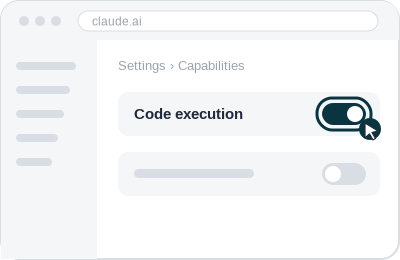
1In Settings, then Capabilities, turn on code execution.
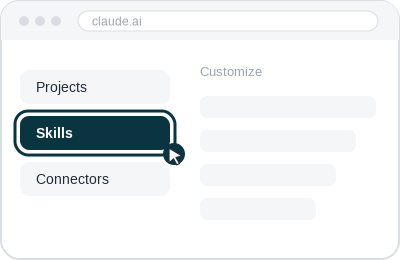
2Open Customize, then Skills.
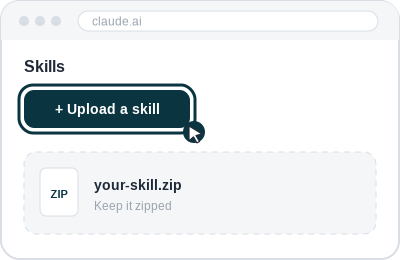
3Click +, choose Upload a skill, pick the ZIP. Keep it zipped.
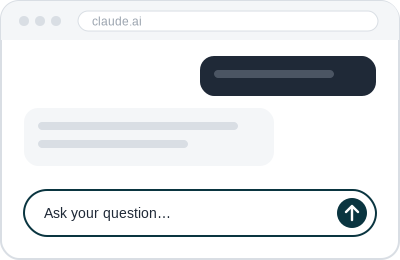
4Start a new chat and ask. Claude picks up the skill.
Works on every Claude plan, including the free one. Free plans have lower usage limits.
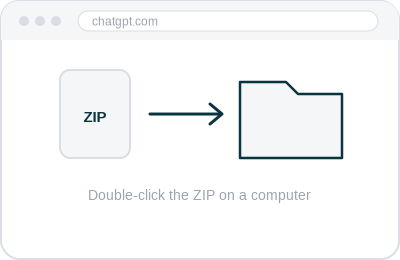
1On a computer, unzip the download and find ANY-AI-PASTE-VERSION.txt.
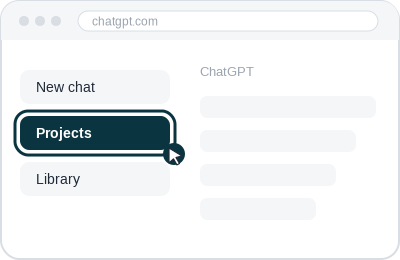
2In ChatGPT, open Projects and make a new project.
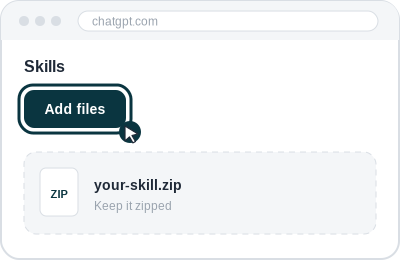
3Add the .txt file to the project. In its instructions, type: Follow the attached file.
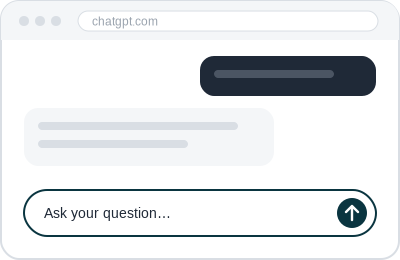
4Start a chat in that project and ask. On a Business, Enterprise or Edu plan, you can upload the ZIP under Skills instead.
Personal ChatGPT plans (Free, Plus, Pro) don't have a Skills page yet, so you use the paste-in version in a Project. On a Business, Enterprise or Edu plan, go to chatgpt.com/skills, choose Add, then Upload from your computer.
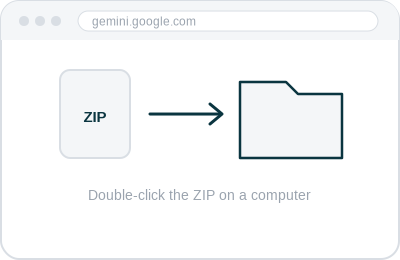
1On a computer, unzip the download. You get a folder.
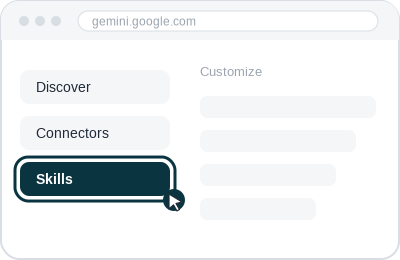
2At gemini.google.com, open Customize, then Skills.
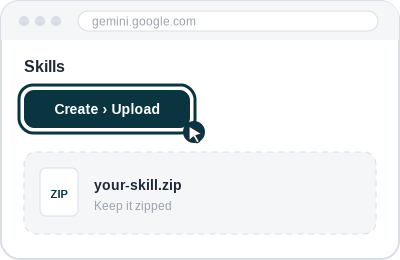
3Choose Create, then Upload, then folder. Pick the unzipped folder.
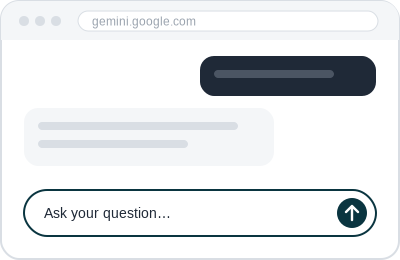
4Start a new chat and ask.
Gemini takes the unzipped folder, not the ZIP. Menus in Gemini change often, so names may differ slightly.
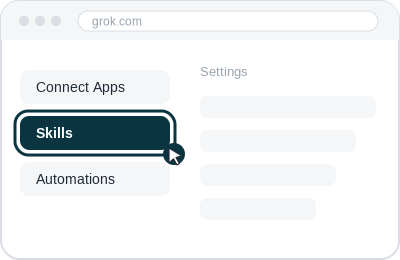
1At grok.com, open Settings, then Skills.
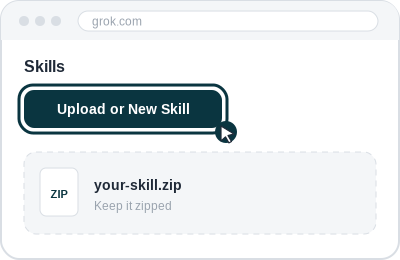
2If you see Upload, pick the ZIP. If you only see New Skill, use the next step.
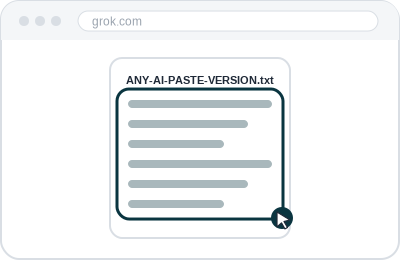
3New Skill: name it, then paste the text of ANY-AI-PASTE-VERSION.txt (below the line of equals signs) into Instructions.
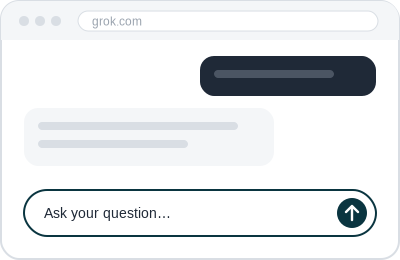
4Save it, start a new chat and ask.
Some Grok plans upload the ZIP; others show a New Skill form, where you paste the skill text in. Menus in Grok change often, so names may differ slightly.
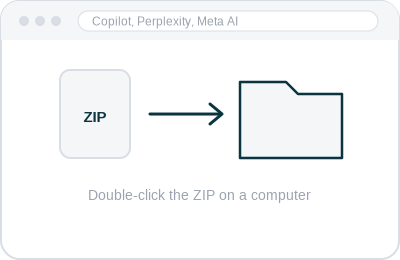
1No Skills page? Unzip the download on a computer.
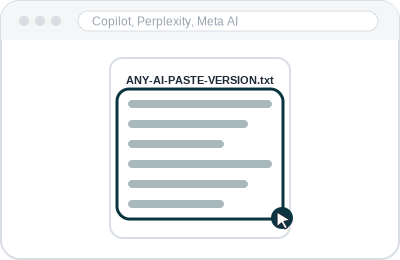
2Open ANY-AI-PASTE-VERSION.txt and copy everything.
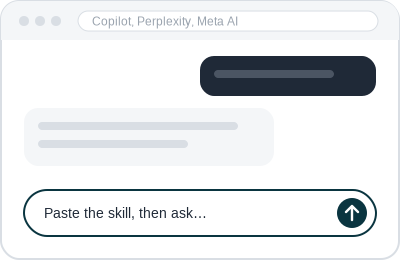
3Paste it into a new chat, then ask your question.
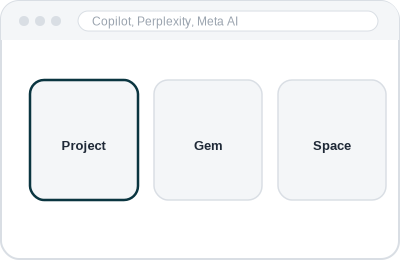
4To keep it on, add it to a ChatGPT Project, Gemini Gem or Perplexity Space.
Using Claude Code, Codex, Cursor or another coding agent? Unzip it into the skills folder, for example unzip camp-kettle-camping-guide.zip -d ~/.claude/skills/
On your phone? Go ahead and buy: the download link goes to your email and works for a year. Adding a skill is easiest from a computer, in a web browser or the desktop app, so open that email there when you're ready. Want to try it on your phone today? Open the ZIP, copy ANY-AI-PASTE-VERSION.txt into any chat app, and ask.
Start with the free Meal Plan
A small skill that builds a camping meal plan and shopping list for your group and nights, with cooler and food storage tips.
- Every meal planned for your group
- A shopping list with quantities
- Cooler packing and food storage
Get Camp Kettle Camping Guide
Pay once, use it for every trip. Includes the free Meal Plan too.
How to add it
Upload the ZIP under Skills in Claude, or the unzipped folder in Gemini (in Grok, upload the ZIP or paste the paste-in file into a new skill; in ChatGPT, add it to a Project), then start a new chat and try: "We're tent camping for 3 nights in September with two adults and a 6 year old. Lows around 40°F. Plan our meals and packing list."
See the clicks for your app. Every download also comes with a paste-in version for any other chat, and a Start Here PDF.
Step-by-step guides with pictures: Claude · ChatGPT · Gemini · Grok
Camp Kettle Camping Guide
Plan, pack, cook and sleep well on tent and cabin camping trips.
$5 one time
- Day-by-day trip and meal plans
- Gear checklists by season
- Campsite choice tips
- Fire safety and fire ban reminders
- Bear and food storage plans
- Camping with kids
- Updates for a year
Card, Apple Pay or Google Pay through Stripe. Taxes calculated at checkout. 14-day refund.
Giving it as a gift? Buy it, forward the email, and print a gift card.
See a real answer from the full skill
You ask: First time camping with our kids, ages 4 and 7, two nights at a state park in June. What do I need to know?
Keep the first trip short, simple and close (high confidence)
Two nights is perfect. Pick a site near the bathrooms, set up the tent in the backyard first, and plan easy meals: foil packet dinners, hot dogs, oatmeal and pancakes.
Kids' safety rules
- Each child gets a whistle and a bright shirt. If they're lost, they stay put and blow three times.
- Fire rule: no running near the fire ring, and an adult is always there when it's lit.
- Check for ticks every evening.
Sleep
June nights can drop into the 40s°F. Bring sleeping bags rated to the forecast low or lower, a pad for each person, warm hats and a change of dry clothes for bed.
Before you go
Check the park's fire rules and any fire bans, and lock all food and coolers in the car at night. Want a packing list and a meal plan for two nights?
Into more than one hobby? The Skill Pass gets you all 70 hobby skills, this one included, for $19.
New to AI skills?
Camp Kettle is a skill: a set of expert instructions you add to your own Claude, ChatGPT, Gemini or Grok account, so it answers like a camping planner who knows the craft.
- Using Gemini? Unzip it and upload the folder on its Skills page. Using Grok? Under Settings, Skills, upload the ZIP or paste the paste-in file into a new skill. Using ChatGPT? Add the included paste-in file to a Project.
- New to all of them? Claude is an AI assistant made by Anthropic. Make an account at claude.ai: skills work on every Claude plan, including the free one, with code execution turned on in Settings, Capabilities.
- Try the free Meal Plan skill first. If you like it, the full skill is one purchase.
Not ready for an AI app? The free camping food and water calculator on this site works in any browser, no account needed.
Free camping tools
No sign-up, they run in your browser.
Made by Nic Hubert, What If Labs
I run What If Labs from British Columbia, Canada. I build each skill with AI help and test it on real questions, and a separate reviewer checks it before it goes on sale. If it doesn't do what this page says, email me at hello@whatiflabs.ai and I'll fix it or refund you.
No reviews yet: this store is new. Tell me how it went and I'll use it to make the skill better.
Questions
Is it for RV camping?
No, it's built for tents, cabins and yurts. For RV trips, our Rig Ready planner covers routes, campgrounds and rig checklists.
Does it know if there's a fire ban?
It can't promise that. It reminds you to check, and if your AI can search it will look for current fire restrictions to confirm with the campground, park or local fire authority. Bans can change daily.
Is it for backcountry camping?
It's focused on car camping, cabins and short walk-in sites. It covers food storage and Leave No Trace for walk-in sites too.
Can it handle food allergies?
Tell it the allergies and it plans meals without those foods. Always check labels yourself, and bring any prescribed medicines.
What do I need to use it?
A Claude, ChatGPT, Gemini or Grok account. In Claude it works on any plan, including the free one, with code execution turned on (Settings, Capabilities). Free accounts have lower usage limits, so long planning sessions go further on a paid plan. It works in Claude on the web, the desktop app and Claude Code. In Gemini and Grok, upload it on the Skills page. In ChatGPT, personal plans (Free, Plus, Pro) don't have Skills yet, so you add the included paste-in file to a ChatGPT Project; Business, Enterprise and Edu plans can upload the ZIP under Skills. Coding agents that read SKILL.md files work too. Using Copilot, Perplexity, Meta AI or another chat with no Skills page? Every download includes a paste-in version (ANY-AI-PASTE-VERSION.txt) that works in any AI chat.
What if it doesn't work for me?
Email hello@whatiflabs.ai within 14 days of buying and we'll refund you in full. No forms, no questions.
How is this different from just asking an AI?
A general AI answer is often vague or skips steps. The skill gives your AI an expert's method: what to ask you first, the checklists and calculations to run, and the mistakes to warn you about. You get consistent, specific answers instead of a different guess each time.
Do I pay every month?
No. It's a one-time price, and updates to the skill are free.
Can I get a refund?
Yes. Every purchase comes with a 14-day refund, no questions asked. Reply to your receipt email and we'll take care of it.
What if it gets something wrong?
It shows its working, so you can check numbers and dates. Tell it what's off and it will correct itself. For anything where a mistake costs money or safety, double-check before you act, as you would with any advice.
Is my information private?
The skill runs inside your own Claude, ChatGPT, Gemini or Grok account, and we never see your chats. When you buy, Stripe handles the payment and we keep your email and order so we can send the download. The terms and privacy page has the details.